Paying Involuntary Loss of Employment (ILOE) fines is a critical compliance step for all employees in the UAE. With the vast majority of UAE employees now relying on online channels like MOHRE to manage official records and settle government liabilities, using digital platforms has become the standard for regulatory compliance.
To simplify this process, Business Link highlights how using the online ILOE fine payment system provides a fast, secure path to clearing penalties and protecting your employment status.
What is ILOE Fine Check Online?
The online ILOE fine check system is the official digital framework established to help UAE professionals monitor, verify, and resolve outstanding penalties related to the Involuntary Loss of Employment insurance scheme. Regulated by the Ministry of Human Resources and Emiratisation (MOHRE), this portal allows individuals to track unpaid liabilities, verify settlement status, and prevent escalating legal actions—such as work permit suspensions or visa renewal blocks.
At Business Link, we advise regular monitoring of this system to ensure full corporate and legal compliance, allowing you to settle fines promptly and secure your professional standing in the UAE market.
ILOE Fine Check Online : Simple steps
-
Visit the Official ILOE Website
Open the ILOE Fine Check Online website using your phone or computer.
-
Log In to Your Account
Use your registered email or phone number to access your account.
-
Go to the “Fine Check” Section
Go to the dashboard and choose “Fine Check” from the menu.
-
Review Outstanding Fines
Check all unpaid fines and ensure the details are accurate.
-
Select a Payment Option
Choose a preferred payment method, such as credit card, debit card, or bank transfer.
-
Complete the Payment Process
Follow the instructions on the secure portal to pay your fines.
-
Save a Confirmation Copy
For your records, download or print the payment receipt.
-
Check Regularly for Updates
Log in frequently to stay informed about new fines or updates.
By following these steps, you can efficiently manage your job loss insurance payments through MOHERE, ensuring peace of mind and financial stability.
Who Must Subscribe to the UAE ILOE Insurance Scheme?
We can say ILOE is mandatory in the UAE for all UAE nationals, expatriate workers, and free zone employees. However, there are a few categories that are exempted, such as business owners, investors, retirees with a pension, and minors under 18.
Why ILOE Quick Pay is Important for UAE Employees
The ILOE Quick Pay service is a vital tool for all employees in the UAE to maintain their legal standing. It allows you to pay premiums instantly using only your Emirates ID, ensuring you remain eligible for financial compensation in the event of job loss. Staying up to date via Quick Pay is the most effective way to avoid the AED 200 fine for missed payments and ensure your work permit remains in good standing with MOHRE.
How do you avoid fines with ILOE Fine Check Online?
Worried about ILOE fines in the UAE? Don’t be! The ILOE Fine Check Online service helps you stay on top of your payments. In short, it’s your key to avoiding penalties. First, you’ll see iloe fine payment amounts. Then, you can pay quickly and easily online. Consequently, you’ll keep your iloe insurance fine check up to date. Plus, you’ll avoid those nasty late fees. Therefore, peace of mind is just a few clicks away!
What 10 Information Do You Need for ILOE Fine Check Online?
- Personal Identification: Have your Emirates ID or labor card number ready for verification.
- Policy Number: Provide your ILOE insurance policy number to link your account accurately.
- Contact Information: Use your registered email address and phone number to receive updates and notifications.
- Vehicle Details: If applicable, include your vehicle registration number for any traffic-related fines.
- Payment Method: Prepare your preferred payment option, such as a credit card, debit card, or bank transfer.
- Login Credentials: Have your username and password ready. If you don’t have an account, be prepared to create one.
- Recent Statements: Keep any recent ILOE statements, payment receipts, or correspondence available for reference.
- Browser Access: Use a compatible web browser on your phone or computer for seamless platform access.
- Stable Internet Connection: Ensure you have a reliable internet connection to avoid interruptions during the process.
- Support Contact Information: Have ILOE support details handy for assistance if you face any issues.
By having these details organized beforehand, you can efficiently manage your ILOE insurance fine check and process payments through the ILOE fine payment system.
How to Fix Errors in Your ILOE Fine Record?
1. Double-Check Your Fine Record
Start by reviewing your fine details through the ILOE Fine Check Online tool. Ensure all information is correct.
2. Gather Supporting Documents
Collect necessary documents such as your Emirates ID, proof of enrollment, payment receipts, or correspondence to back your claim.
3. Contact ILOE Support
Reach out to ILOE support via their hotline or email. Clearly explain the error and attach all relevant supporting documents.
4. Visit a Tasheel Center (If Needed)
For in-person assistance, visit a Tasheel center with your documents. The staff will assist in resolving the issue.
5. Submit Required Documents
Provide all proof, including receipts and enrollment details, to verify your claim. To prevent delays, make sure your submission is complete.
6. Request a Reference Number
After contacting support or submitting your documents, request a reference number to track the status of your case.
7. Track Your Dispute Progress
Use the provided reference number to monitor updates through the ILOE portal or by contacting support.
8. Verify the Updated Record
Once corrections are made, check your record again using the ILOE insurance fine check system to ensure everything is accurate.
9. Complete the Payment Process
If needed, use the secure ILOE fine payment platform to settle any outstanding amounts after corrections are resolved.
10. Keep All Records Safe
Save copies of all communication, receipts, and updates for future reference. This ensures you have proof if another issue arises.
11. Follow Up Regularly
Regularly check your fine records to ensure no additional errors or new fines appear. Stay proactive to avoid surprises.
By following these steps, you can resolve errors quickly and maintain accurate ILOE records. Acting fast and staying organized ensures your fines are managed efficiently while keeping your insurance coverage intact.
ILOE Insurance Premiums, Costs, and Renewal
The insurance cost is determined by your basic salary. For those with a basic salary of AED 16,000 or less (Category A), the premium is AED 5 per month. For those with a basic salary exceeding AED 16,000 (Category B), the premium is AED 10 per month. Policies can be issued for one or two years, and it is recommended to pay the full amount upfront during renewal to avoid potential fines from missed monthly installments.
How to Pay ILOE Insurance Online Using MOHERE App
-
Download the App: Install the official MOHRE UAE app from the Google Play Store or Apple App Store.
-
Log In: Sign in securely using your UAE Pass. If you are new, follow the app prompts to register using your Emirates ID.
-
Find the Service: Go to “Employee Services” and select ILOE Quick Pay.
-
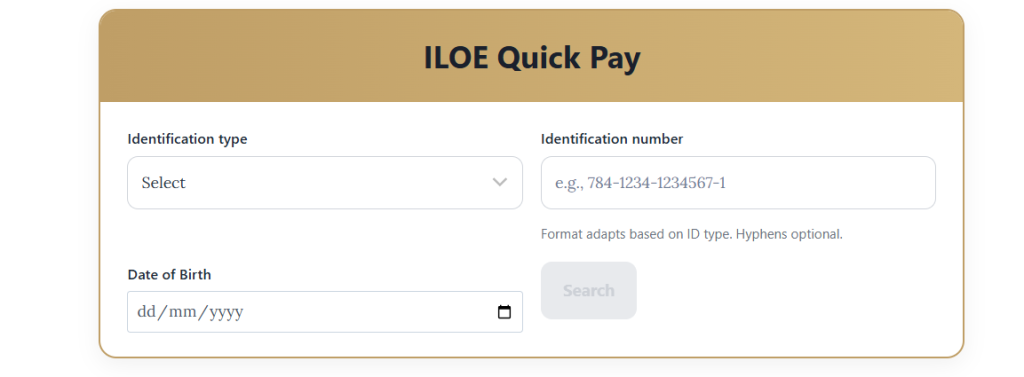
Enter Details: Choose an ID type (Emirates ID, UID, Labour Card, or Person Code), enter the number, and add your date of birth.
-
Check Fine: Tap search to see your current status. If you have a fine, the app will show the exact amount and reason.
-
Make Payment: Tap “Pay” and complete the transaction using your credit card, Apple Pay, or Google Pay.
-
Save Receipt: Keep the on-screen confirmation and reference number. A copy will also be sent to your email.
-
Confirm Clearance: Fines usually clear within one business day. Business Link recommends checking the app again later to ensure your record is completely clean.
Consequences of Unpaid ILOE Fines You Should Know
Failing to pay your ILOE fines on time can lead to a range of consequences, including:
- Penalties: Late payment penalties can quickly accumulate, increasing the overall amount you owe.
- Legal action: In some cases, non-payment of fines may result in legal action, adding further complications and stress to your situation.
- Impact on job loss insurance: Perhaps most importantly, failing to manage your ILOE fines properly can jeopardize your job loss insurance coverage. This can leave you financially vulnerable in case of unexpected job loss.
The Summary
Discover the convenience of ILOE Fine Check Online today! This tool helps you manage fines, stay informed, and avoid penalties effortlessly. Don’t let missed payments cause stress—start using this easy system now to keep your records accurate and secure. Whether you need to check your status, make payments, or fix errors, it’s all just a few clicks away. Take action now and simplify your fine management. Explore ILOE Fine Check Online for peace of mind!
FAQ’s
How do I check my ILOE fines?
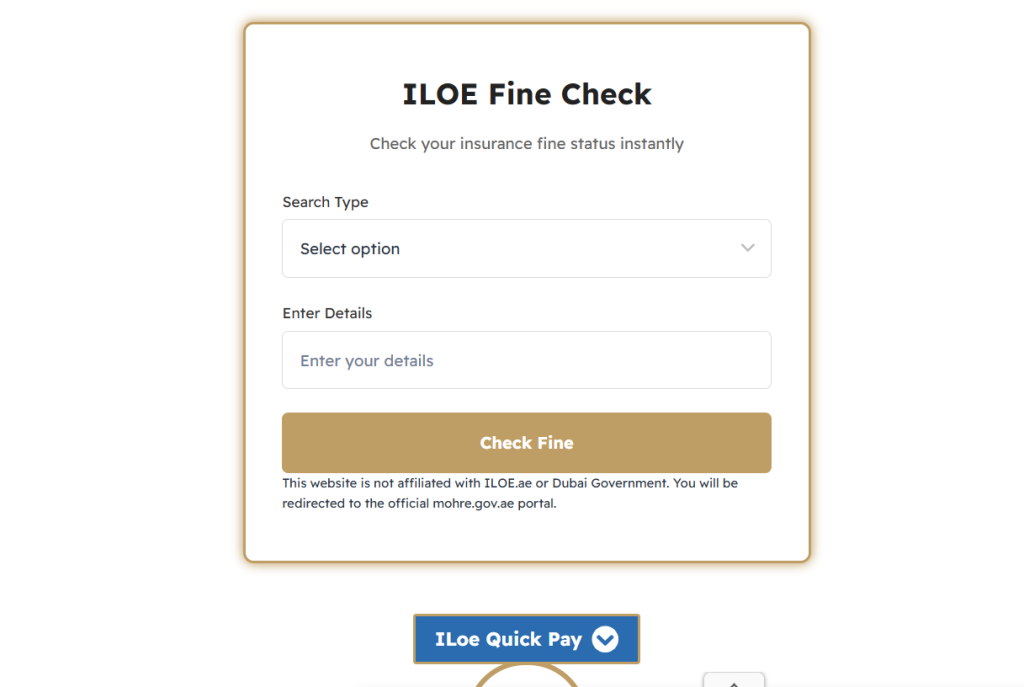
Visit the ILOE portal or the MOHRE website, enter your Emirates ID in the “Quick Pay” or “Fines” section to view any outstanding balances.
How much is the ILOE fine?
The fine is AED 400 for failing to subscribe and AED 200 for failing to pay premiums for more than three months.
How to check insurance status online?
Log in to the official ILOE website (iloe.ae) using your Emirates ID and mobile OTP to view your certificate and policy validity.
Is ILOE Fine Check Online secure?
Absolutely. ILOE Fine Check uses advanced security measures to protect your personal and financial information. All transactions through ILOE Quick Pay are encrypted, ensuring that your data remains safe. This secure platform allows you to manage fines confidently, knowing that your information is well-protected.